One day, you wake up and discover that the way you relate to the world has changed.
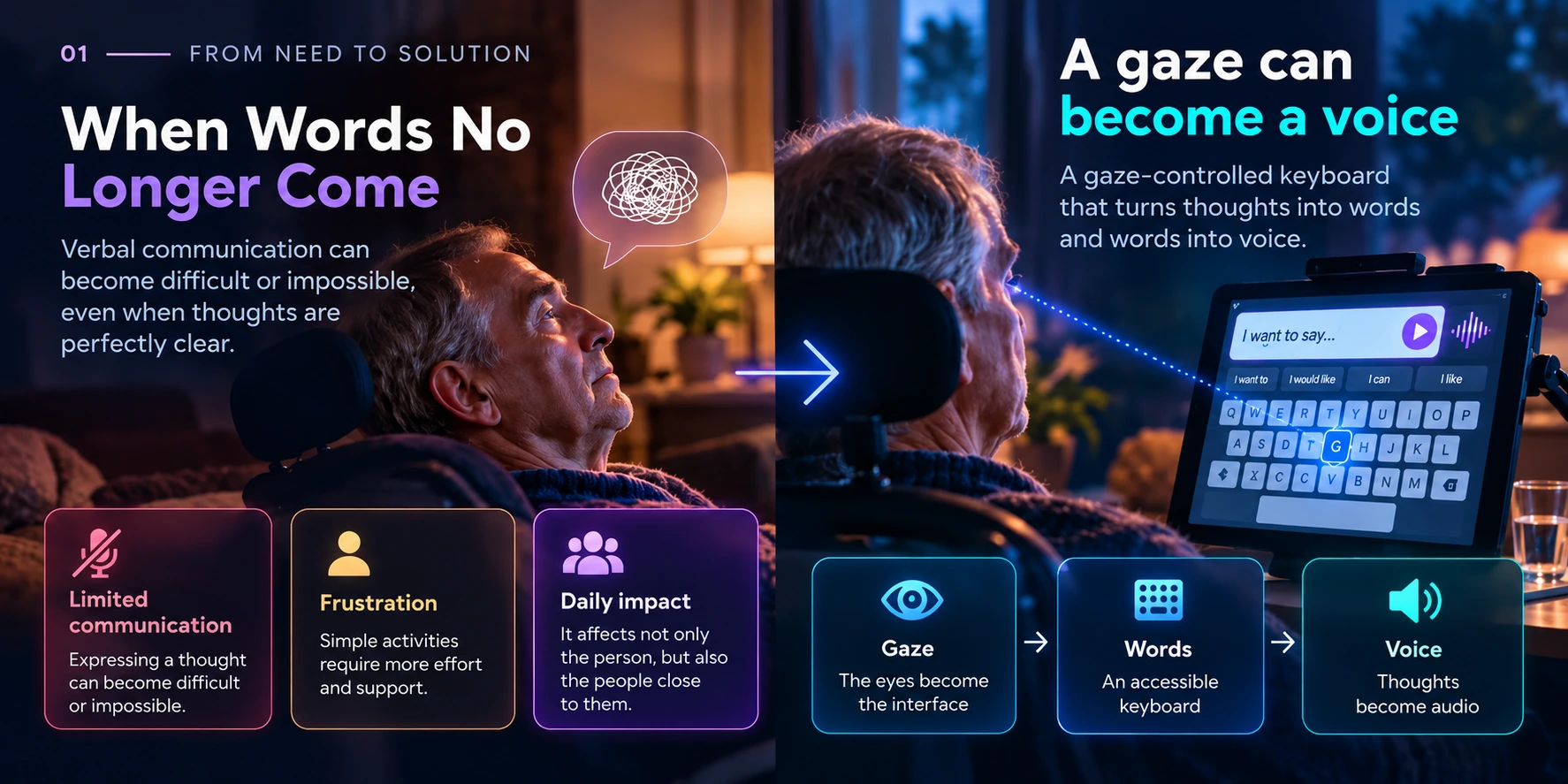
Something as simple as saying a sentence, asking a question or expressing a need can suddenly become difficult.
In those moments, technology stops being about architecture, frameworks, performance or products.
It becomes something much simpler.
A way to try to solve the problem in front of you.
That is how VoceSguardo was born.
Not from a roadmap.
Not from a business idea.
Not from the search for a new personal project.
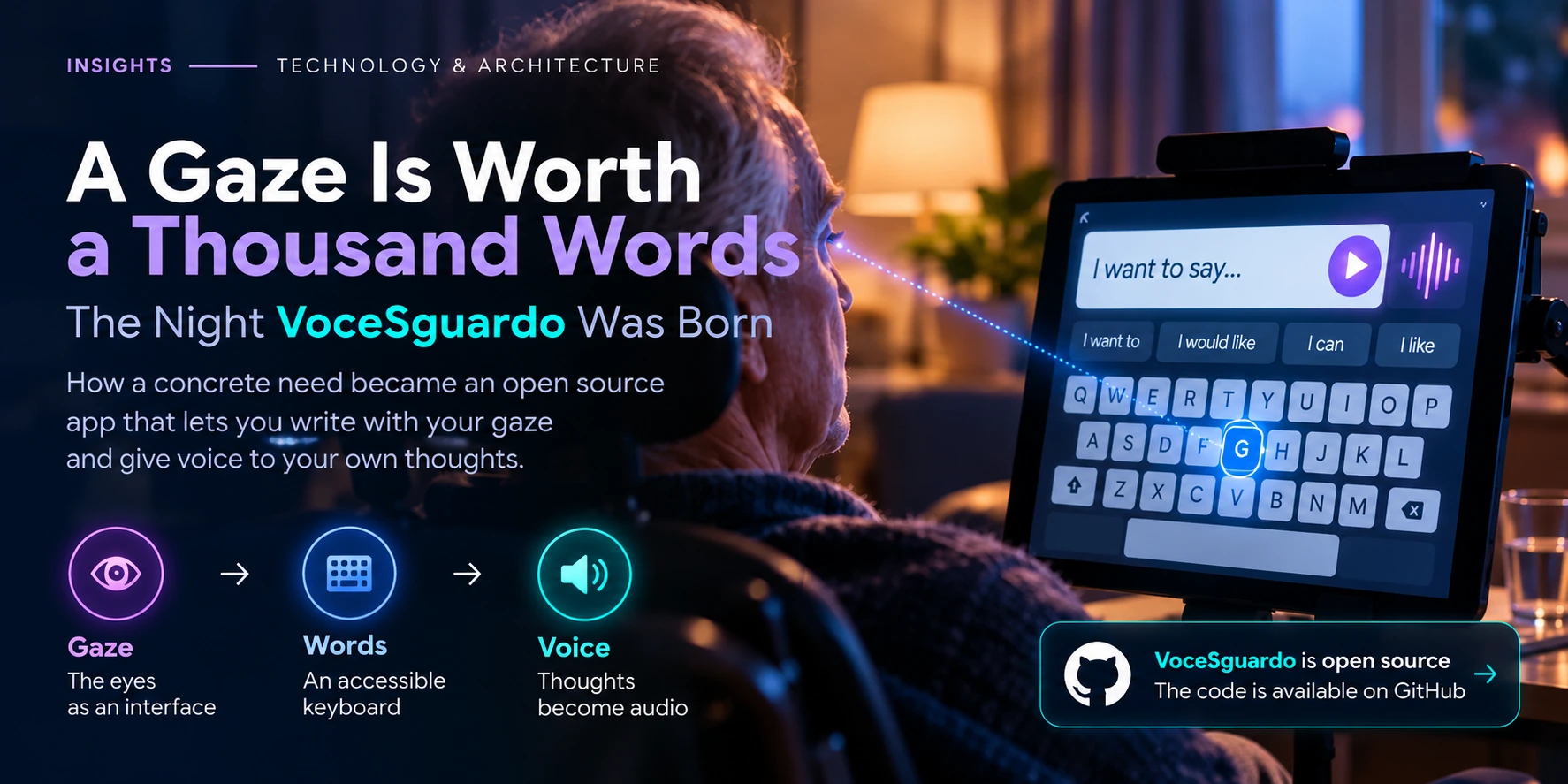
It arose from a concrete and urgent need: to enable a person experiencing difficulties with verbal communication to build a sentence through their gaze and turn it into speech.
In the end, I did not need it.
And that is probably the most important thing I can say about this project.
But instead of putting it away, I decided to leave it here.
Together with a hug, in case it might one day help someone else.
Before the Software Comes the Problem
When you are used to building software, the first temptation is to start thinking about the solution immediately.
Interface.
Framework.
Components.
Architecture.
But in this case, the initial question was much more fundamental:
how can a person write a sentence if they cannot use a keyboard in the usual way?
Gaze was one possibility.
This led to the idea of a keyboard controlled through eye tracking, where eye movement makes it possible to move between letters and words.
But moving a cursor is not enough.
There also needs to be a way to say:
“I want to select this particular element.”
And this is where an apparently simple problem began to turn into a series of design decisions.
Gaze as an Interface
The device available was an Android tablet.
The solution therefore needed to use what I already had available, avoiding specialist hardware as far as possible.
The aim was to build an essential interaction:
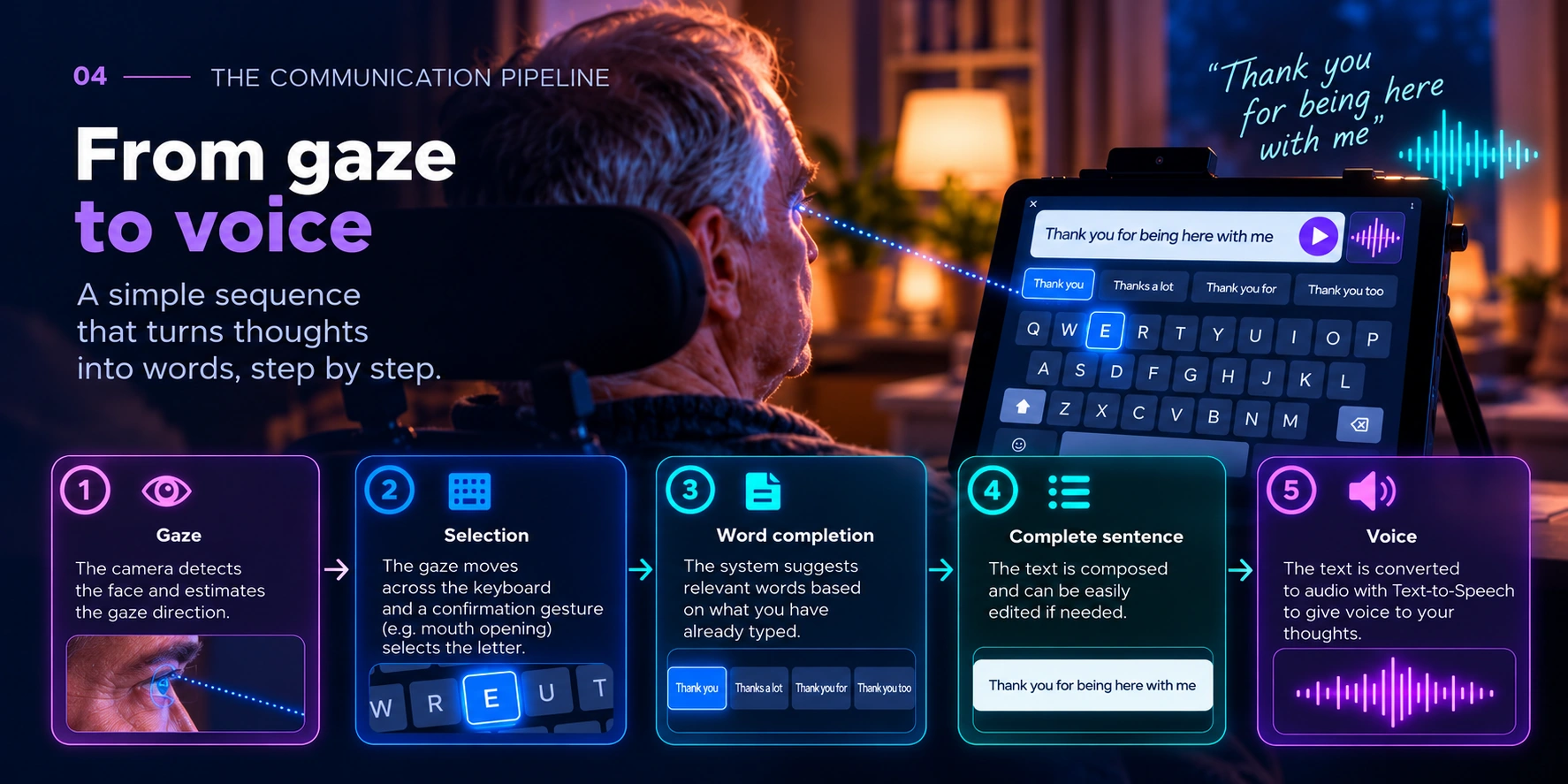
gaze → keyboard element → selection → sentence → voice
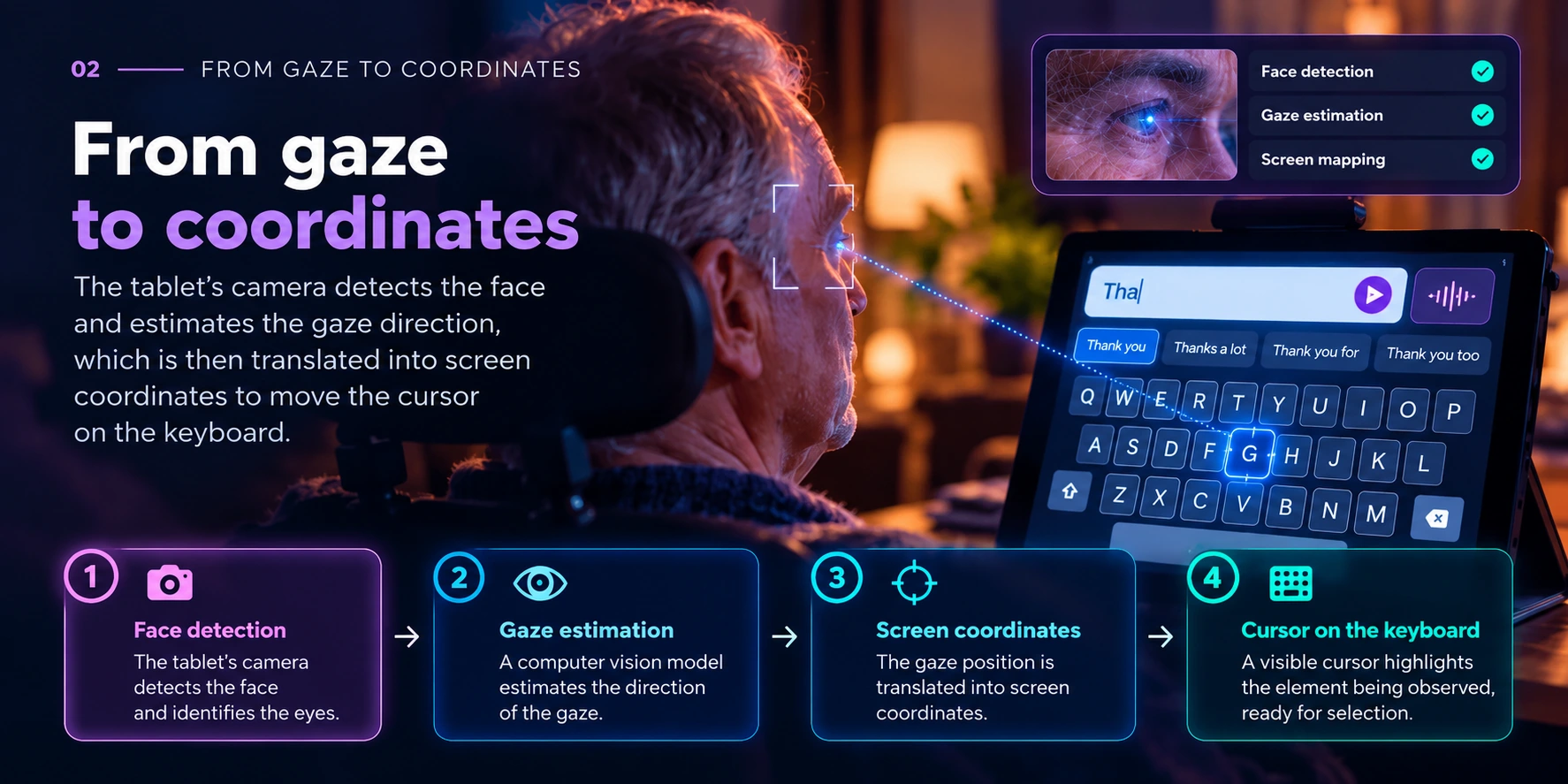
The front-facing camera observes the face.
The system attempts to estimate the direction of the gaze.
The position is translated into interface coordinates.
A cursor highlights the area that the system believes the user is looking at.
The keyboard thus becomes a space that can be navigated without touching the screen.
On paper, it seems straightforward.
In practice, every step introduces uncertainty.
The Problem Is Not Seeing the Eyes. It Is Understanding Where They Are Looking.
An eye-tracking system does not simply need to recognise the presence of the eyes.
It needs to transform a geometric estimate into a sufficiently precise position on the screen.
And different people look at the same point in slightly different ways.
The following vary:
- face position;
- distance from the device;
- head angle;
- characteristics of the eyes;
- lighting conditions;
- tablet position.
This is why a calibration phase is necessary.
The user looks at a sequence of known points on the screen.
The system compares what it detects with the actual position of each point.
From these observations, it builds the transformation subsequently used to estimate where the person is looking.
In the prototype, we achieved a calibration error of around 9%.
This is not the precision of a dedicated professional device.
But it was sufficient to continue experimenting with the interaction.
Looking Does Not Necessarily Mean Choosing
Once the cursor movement had been addressed, at least partially, a second problem immediately emerged.
If every element being looked at were selected automatically, using the keyboard would become almost impossible.
Our eyes move continuously.
We look at one letter.
Then at the one next to it.
Then we go back.
The system therefore needs to distinguish between:
navigation
and
intention.
I considered several selection methods.
Holding the gaze on an element for an extended period is an intuitive solution, but it can make the interaction much slower and produce unintended selections.
In this particular case, the solution that felt most natural was to use opening the mouth as a confirmation gesture.
The gaze determines where.
The gesture determines when.
Two different signals for two different intentions.
It is a small interaction detail, but it radically changes the experience.
A Keyboard Is Not Enough
Once letters can be selected, the next problem is speed.
Writing character by character through gaze is inevitably slower than using a conventional keyboard.
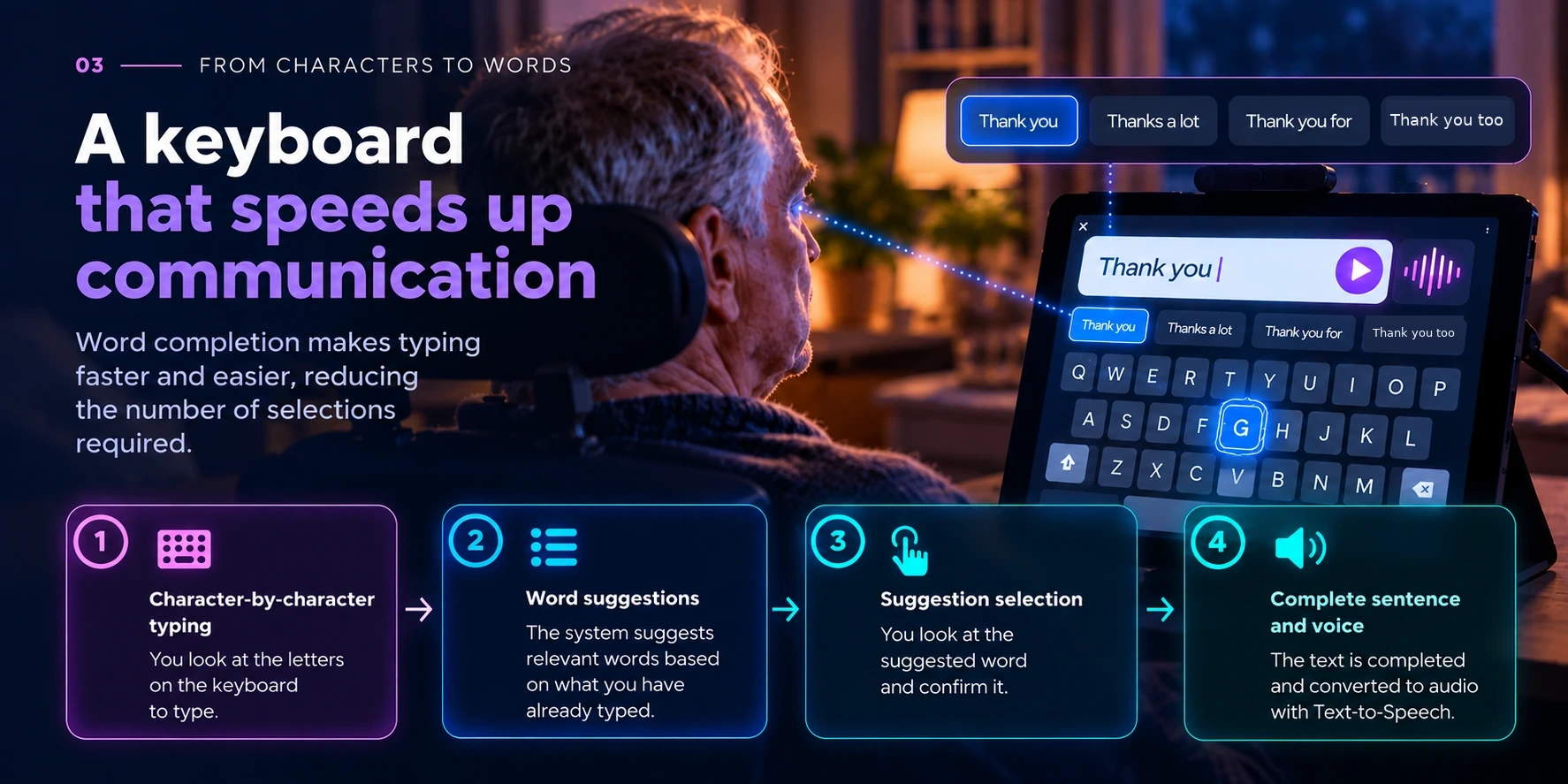
This is why VoceSguardo also began to incorporate word completion.
As the user composes the text, the system can suggest words that match what has already been written.
Selecting a suggestion reduces the number of interactions required.
And once the sentence has been constructed, the final step comes into play:
Text-to-Speech.
The text becomes audio.
The complete sequence therefore becomes:
gaze → selection → word → sentence → voice
Building Quickly Without Giving Up Understanding
There was, however, another distinctive characteristic of this project.
Time.
I was not building a product according to a months-long roadmap.
I needed to understand very quickly whether the idea was technically viable.
And this is where AI played an important role.
I used AI-assisted coding tools to accelerate activities that would normally have required much more time:
- exploring approaches;
- producing prototypes quickly;
- modifying the interface;
- integrating components;
- analysing errors;
- iterating on solutions.
But speed did not mean delegating the problem completely.
Every proposal still needed to be understood.
Every integration needed to be verified.
Every behaviour needed to be observed on the real device.
Because when AI makes producing code very inexpensive, the bottleneck moves.
It is no longer only:
“how quickly can I implement this?”
It becomes:
“how quickly can I understand whether what I have implemented genuinely solves the problem?”
From Code to the Real Device
At a certain point, the project stopped being just code.
The Android build worked.
The APK could be installed on the tablet.
The camera detected the face.
The calibration produced a usable mapping.
The cursor followed the gaze.
The selection mechanism made it possible to compose text.
Text-to-Speech could turn it into voice.
It was not a medical product.
It was not a professional Augmentative and Alternative Communication (AAC) system.
It did not claim to replace validated assistive technologies or specialist devices.
It was a working prototype, built to verify whether a particular idea could become practically usable.
This distinction matters to me.
A prototype should not pretend to be something it is not.
It should demonstrate something.
When the Requirement Changes
Then something happened that, in any ordinary project, we might describe as a radical change in requirements.
The need for which VoceSguardo had been created disappeared.
And suddenly that software was no longer needed.
I could describe it as an interrupted project.
But that would not be the right interpretation.
Because in this case, the best possible outcome was precisely not needing it any more.
Why Publish It, Then?
At that point, I could simply have closed the repository.
The project had served its purpose.
I had learnt a great deal.
The original need was no longer there.
But the problem I had tried to address was certainly not unique.
Somewhere, there may be someone looking for something similar.
Or a developer who wants to start from this experiment and build something better.
That is why I chose to make VoceSguardo publicly available and open source.
Not as a definitive solution.
Not as a ready-made product.
But as a starting point.
The source code is available on GitHub:
VoceSguardo — GitHub repository
Anyone who wishes to can explore it, study it, modify it or use it as a basis for further experimentation.
What VoceSguardo Left with Me
This experience left me with several convictions.
The first is that the problem comes before the technology.
The second is that an interface is not merely something that should be attractive or intuitive: it must be designed around the real capabilities of the person who will use it.
The third is that AI can dramatically compress the time required to move from an idea to a prototype.
But precisely for this reason, human judgement becomes even more important.
Understanding what to build.
Understanding what to verify.
Understanding when a solution does not work.
And also understanding when it is no longer needed.
Finally, it reminded me of something much simpler.
Some projects begin because we see a market opportunity.
Others because we want to learn something.
Still others because there is a problem in front of us and, with what we know how to do, we try to be useful.
VoceSguardo belongs to this last category.
In the end, I did not need it.
And that was all right.
I leave it here for you, together with a hug.
If it might be useful to you, the code is here: VoceSguardo on GitHub.
In case you need it.
Originally published on LinkedIn on 3 September 2026. This edition is part of Lead From Tech Insights.